Adding Appointments to Your Afri54 Digital Business Card
Note: The Appointment feature is available only on paid subscriptions. If you are on a free plan, this option may not appear in your navigation menu.
1. Click on the Appointment button from the left-hand navigation menu.
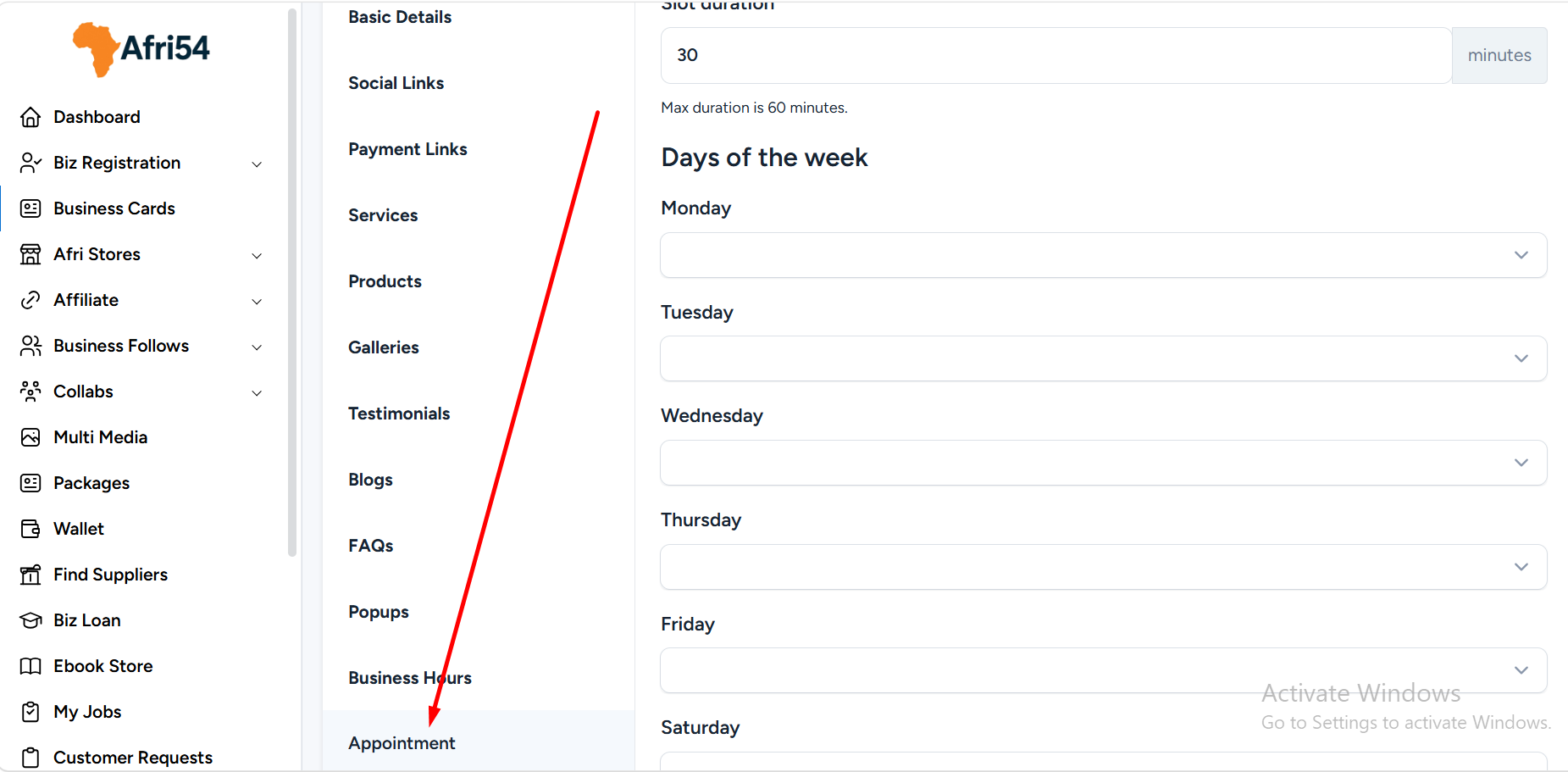
2. Complete the appointment setup form:
*Set the Appointment Duration (maximum duration is 60 minutes).
*Select your available Time Slots for each day of the week.
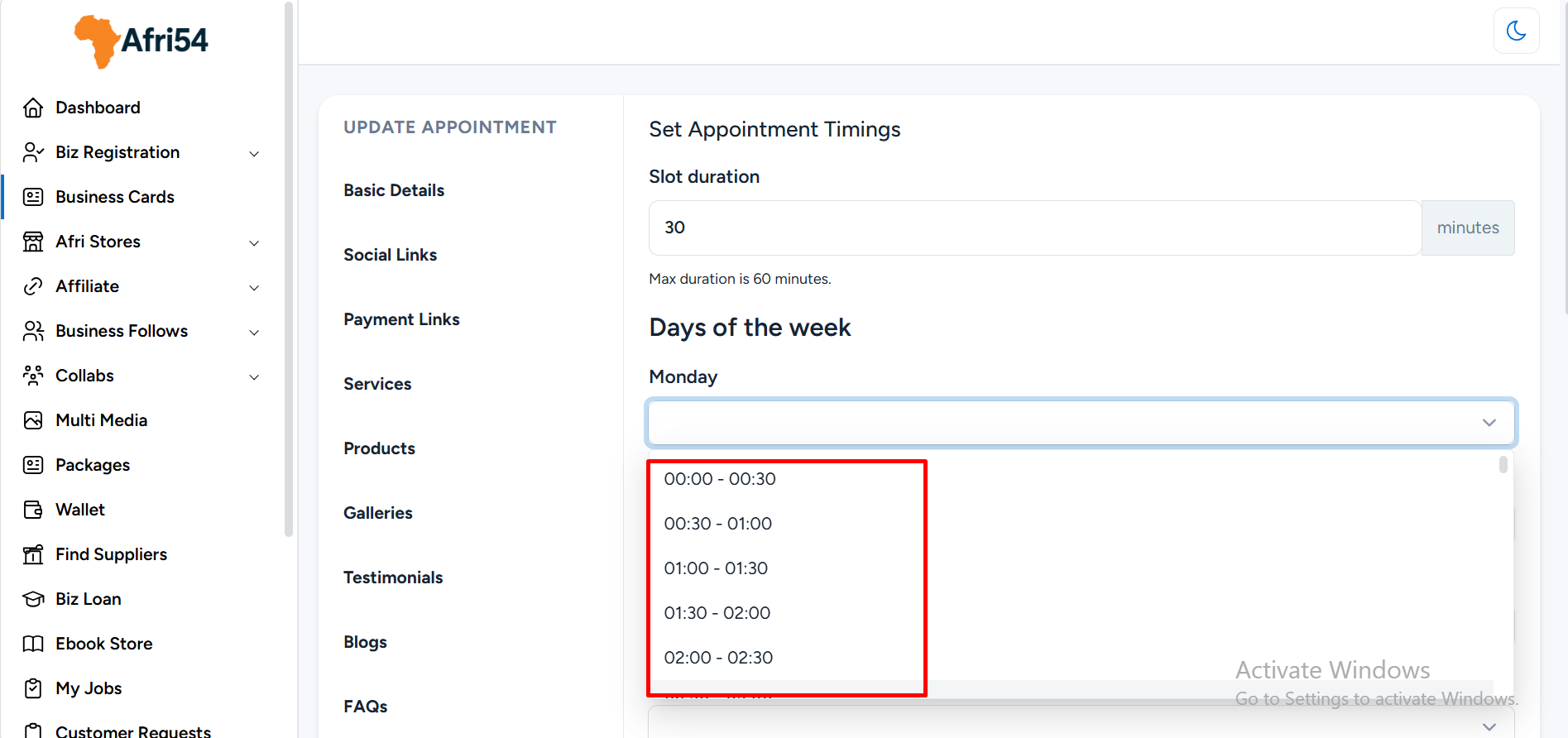
For example: 13:00 – 14:00 (1:00 PM – 2:00 PM).
*Enter the Consultation Fee.
If you offer free consultations, simply set the amount to 0.
*Provide the Email Address where you would like to receive appointment notifications.
*Click the Save button to complete the setup.
Found this helpful?
( 10 out of 20 found helpful )